
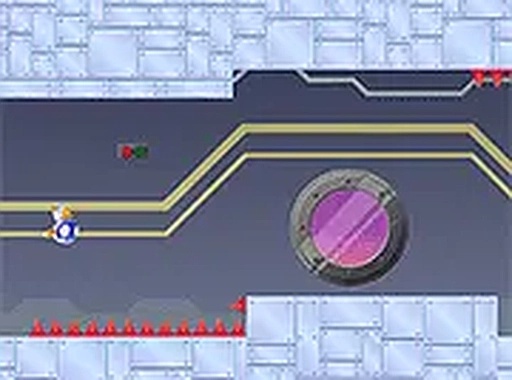
Gravity Runner Reflex Game
Reviews
Gravity Runner offers a pure test of timing and coordination with its unique gravity-shifting mechanic. The controls are intuitive, and the increasing speed keeps each run exciting. It is a free, browser-based game that works well on mobile and desktop. The lack of ads or in-app purchases is a refreshing bonus. Perfect for casual players looking for a quick challenge.
About this game
Game Introduction
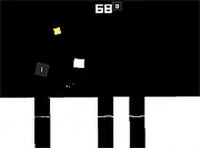
Gravity Runner is an arcade-style reflex game where you guide a robot through an environment with constantly shifting gravity. The main goal is to travel as far as possible while avoiding obstacles. The unique feature of this game is that the up and down directions flip unpredictably, requiring quick adjustments. This free-to-play browser game focuses on timing and coordination, making it suitable for both short play sessions and longer practice runs. The game is designed to be accessible to players of all ages and skill levels, offering a straightforward challenge that becomes more engaging as you improve.
How to Play
In Gravity Runner, you control the robot by tapping or clicking at the right moments. The primary action is to make the robot jump or change direction to avoid obstacles as the gravity shifts. Timing is crucial because the environment changes without warning. The game gradually increases in speed, which tests your reflexes. It runs directly in your browser on both mobile and desktop devices, with no downloads needed. For a more focused experience, you can switch to full screen mode. The controls are simple, allowing you to concentrate on the rhythm of the game.
Game Features
Gravity Runner features reflex-based gameplay that tests your timing and coordination. The upside-down running mechanic keeps each session fresh and unpredictable. Simple tap controls make it easy to pick up and play. It is free to play with no hidden costs. The game is compatible with mobile devices and desktop computers, allowing for on-the-go enjoyment. The increasing speed adds a layer of challenge that encourages repeated play. The game's design focuses on a pure test of skill, making it ideal for players who enjoy improving their personal best.
Tips for Success
Focus on the rhythm of the gravity shifts rather than reacting too late. Practice regularly to improve your timing and learn the obstacle patterns. Stay calm as the speed increases, and try to anticipate the next direction change. Short, focused sessions can help you build muscle memory for better runs. Consistent practice is the key to achieving higher scores.



Comments
0 comments