Bear Rhythm Battle Music Game

Bear Rhythm Battle Music Game

Developer: Opal Veil Interactive
Published: 1762444800
Updated: 2026-10-01
bear rhythm music

Reviews

Bear Rhythm Battle keeps its scope tight: four arrow keys, a health bar, and a soundtrack that sets the pace. The bear opponent and colorful presentation give it a distinct look compared to generic rhythm games. Beginners can start on slower tracks, while faster speeds add challenge later. The main limitation is that the available description does not confirm how many songs or difficulty tiers exist, so players wanting a large library should verify that before committing.

About this game

Matching Arrows to the Beat

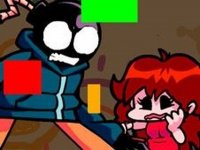
Bear Rhythm Battle is a fan-made rhythm game built around a simple loop: arrow symbols drift across the right side of the screen, and you press the matching arrow key—up, down, left, or right—on your keyboard. Each correct press adds to your score and keeps your health bar full. Each miss drains that bar. When health reaches zero, the run ends and you restart. The game follows the beat of the music, so timing matters as much as seeing the correct arrow.

What Makes the Bear Theme Stand Out

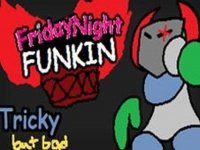
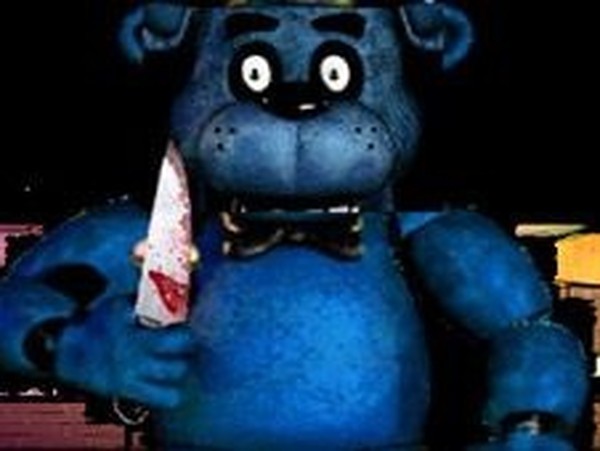
The opponent is a bear character, and the game leans on that design choice with colorful visuals and a soundtrack meant to drive the pace. The bear-themed mod gives the note charts a distinct personality compared to the usual rhythm-game presentation. The music is the engine here—without a catchy track, the arrow prompts would feel like busywork, so the soundtrack and the bear motif work together to keep attention on the screen.

Difficulty That Scales With You

Controls are intentionally simple, which makes the first few songs approachable for beginners. As you progress, the speed increases. That ramp is where the real challenge lives: the same four keys become harder to hit when the symbols come faster and the rhythm gets denser. The easy-to-learn, hard-to-master structure gives the game replay value, since a song you clear at low speed can still punish you at higher speed.

Quick Sessions and Broad Appeal

Sessions are designed to be short, so the game fits between other activities rather than demanding long sittings. The family-friendly tone and straightforward controls make it suitable for players of all ages, though younger players may need a few tries to connect the visual arrows with the keyboard. Anyone who enjoys rhythm games and wants a light, bear-themed twist on the genre will find the core loop familiar and the presentation different enough to notice.

Editorial Notes

✅ Compatibility & Testing

• Desktop (Windows 11, macOS Ventura)
• Mobile (iPhone 14, Samsung Galaxy S23)
• Tablet (iPad Pro, Android tablet)
✅Supported browsers: Chrome, Safari, Edge, Firefox (latest versions)
❌ Not supported: Internet Explorer, older browser versions

FAQ

What keyboard keys do I use in Bear Rhythm Battle?
You use the four arrow keys—up, down, left, and right—on your keyboard. Each on-screen arrow symbol corresponds to one of those keys, so you press the matching direction as the symbol appears. No other controls are needed, which keeps the game accessible for beginners.
How does the health bar work in Bear Rhythm Battle?
Your health bar stays full when you hit notes correctly. Every missed note depletes it. If the bar reaches zero, the run ends and you must restart. This means accuracy matters more than speed alone, because a few careless misses can undo a high score.
Is Bear Rhythm Battle suitable for children?
The game is described as family-friendly and suitable for players of all ages. Its bear-themed visuals and simple arrow-key controls are not graphic or inappropriate. Younger children may need help matching arrows to keys at first, but the basic mechanic is easy to understand.
Does Bear Rhythm Battle have multiple songs or difficulty levels?
The original description does not confirm a specific number of songs or difficulty settings. It notes that multiple songs or difficulty levels are common in the rhythm genre, but that is a general observation, not a confirmed feature list. Treat the exact song count as unverified.
Can I play Bear Rhythm Battle with a touchscreen or controller?
The game is designed around keyboard arrow keys, according to the available information. No touchscreen or controller support is mentioned. If you are playing on a device without a physical keyboard, you would need to check whether an on-screen alternative exists.
What is the best way to improve my score in Bear Rhythm Battle?
Focus on the rhythm of the music rather than only the visual arrows, because the game follows the beat. Practice slower songs first, then move to faster ones. Staying relaxed helps avoid mistimed presses, and repeating a song builds pattern memory that raises your score over time.

Comments

0 comments
U
User
★ ★ ★ ★ ★
Loading comments...

Similar Games