
Visual Vocabulary Builder
Reviews
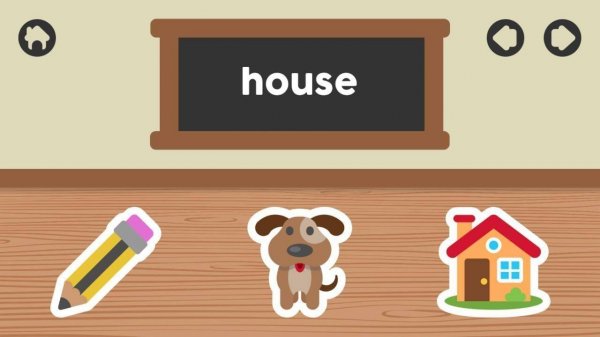
Visual Vocabulary Builder succeeds by keeping things simple. The picture-to-word matching mechanic is straightforward, yet effective for early learners. Children stay engaged thanks to the colorful illustrations and immediate feedback. Parents will appreciate the ad-free environment and lack of distracting elements. The gradual introduction of new words helps build confidence without overwhelming beginners. While it may not offer deep gameplay, its focused design makes it a reliable tool for vocabulary development at home or in preschool settings.
About this game
Learning Through Images
This activity pairs each new word with a clear, colorful illustration. Young learners see a picture and choose from several word options. The visual connection helps children remember meanings more easily than text alone. By relying on images first, the game removes barriers for those who have not yet learned to read.
Simple Touch Controls
Children tap or click their answer on screen. The interface uses large buttons and minimal text, so even toddlers can navigate independently. Instant feedback appears after each choice, letting kids know if they selected correctly. This responsive design keeps frustration low and engagement high.
Gradual Word Expansion
As children complete rounds, they encounter new pictures and corresponding terms. The difficulty increases naturally, introducing more complex words over time. Players set their own pace, repeating familiar sets before moving forward. This self-directed approach supports confidence and retention.
Safe Environment for Young Users
The game contains no advertisements, pop-ups, or external links. All content is carefully selected for appropriateness. Parents and teachers can allow independent play without concern. The focused setting helps children concentrate on learning without distractions.
Device Flexibility
Available on smartphones, tablets, and computers, the activity adapts to different screen sizes. Touch input works on mobile devices, while mouse or keyboard works on desktops. This cross-platform support means practice can happen at home, in the car, or during classroom breaks.










Comments
0 comments