
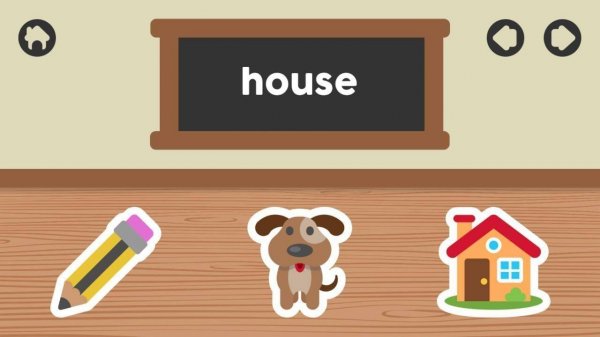
How the Picture-to-Word Match Works
Every round presents a single illustration paired with several word options. The player selects the word that matches the picture. Because the image carries the meaning, children who cannot yet read can still participate and build word recognition through repeated visual association. Large on-screen buttons and minimal interface text keep the focus on the choice itself.
Feedback and Self-Paced Progression
After each tap or click, the game immediately indicates whether the answer was correct. That instant response lets children learn from mistakes without waiting for adult input. Rounds introduce new pictures and terms as players advance, with word complexity increasing gradually. There is no timer or forced sequence, so a child can repeat familiar sets before moving on, which supports confidence and retention.
Designed for Independent Young Users
The activity contains no advertisements, pop-ups, or external links, and all content is selected for age appropriateness. Parents and teachers can hand over a device without monitoring every tap. The absence of distractions also helps children stay focused on the vocabulary task rather than navigating menus or closing overlays.
Playing Across Devices
Visual Vocabulary Builder runs on smartphones, tablets, and computers, adapting to different screen sizes. Touch input works on mobile devices, while mouse or keyboard input works on desktop. That flexibility means practice can happen at home, in the car, or during a classroom break without requiring a specific device.










Comments
0 comments