Rhythm Arrow Clash

Rhythm Arrow Clash

Developer: Sheet Shade Studio
Updated: 2026-10-01
Music Arcade Family Friendly

Reviews

Rhythm Arrow Clash keeps its scope tight: four arrow keys, falling notes, and an energy meter that punishes misses. The tiered difficulty system gives newcomers a slow entry point while offering denser patterns for experienced rhythm players. Short sessions and local score tracking suit casual play, though the lack of multiplayer or online leaderboards limits long-term competition. Best for players who want a focused, browser-based timing challenge.

About this game

Note Matching and Combo Flow

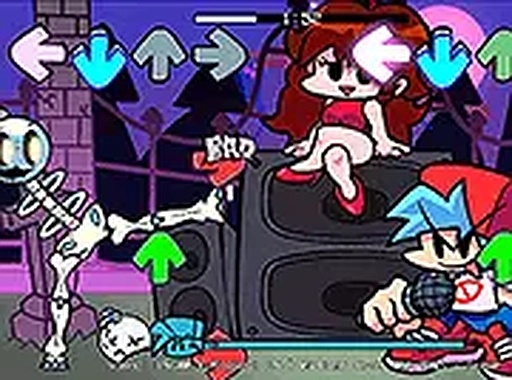
Rhythm Arrow Clash turns the keyboard's four arrow keys into a rhythm instrument. Arrows scroll downward in time with the music, and each note must be pressed as it reaches the target zone. Successful hits extend a combo streak and raise the score, while missed notes chip away at an energy meter. The session ends when that meter is empty or the song finishes, and the final score is compared against a computer-controlled opponent. The mechanic is easy to grasp, but timing precision and pattern recognition separate a passable run from a clean one.

Reading the Playfield

Each direction uses a distinct color, which matters once notes arrive in quick succession. Animated backgrounds pulse to the beat, but the interface stays uncluttered so the arrows remain the focal point. Sound effects confirm hits and misses immediately, giving players an audio cue that reinforces what they already see on screen. Because the visual and audio feedback are tightly linked, players can often feel a mistake before they consciously register it.

Difficulty Tiers and Song Selection

Before a session begins, players choose a song and a difficulty level. Lower difficulties space notes farther apart at a slower scroll speed, which suits newcomers or younger players. Higher difficulties increase note density, speed up the scroll, and can introduce simultaneous arrow combinations that require coordinated finger movements. There is no traditional level progression; instead, replayability comes from chasing higher scores and mastering each track across multiple difficulty settings.

Controls and Session Design

The game runs on desktop browsers and uses only the four arrow keys, with full-screen mode available for a more focused view. No mouse or touch input is needed during play, so controls stay consistent. Sessions are short by design: pick a song, pick a difficulty, and play the track through. There are no lives or continues, and personal best scores are tracked locally. Volume and full-screen settings sit in the main menu, and the game can be paused at any time.
Editorial Notes

Compatibility

▸ Desktop: Chrome / Edge / Firefox / Safari
▸ Mobile: iOS Safari / Android Chrome
▸ Tablet: iPadOS Safari / Android Tablet Browser
Keep your browser updated for the best experience

FAQ

What keys do I use to play Rhythm Arrow Clash?
You use the four arrow keys on your keyboard: up, down, left, and right. Each direction corresponds to a colored arrow on screen. No mouse or touch input is required during gameplay, which keeps controls consistent across sessions. Full-screen mode is available if you prefer a larger playfield.
Does Rhythm Arrow Clash have a multiplayer mode?
No. The game pits you against a computer-controlled opponent rather than other players. There are no online leaderboards either. Your personal best scores are stored locally on your device. If you want competition, the in-game opponent and your own previous scores are the benchmarks available.
How does the energy meter work in Rhythm Arrow Clash?
The energy meter depletes gradually each time you miss a note. It does not refill during a song. When the meter empties, the session ends immediately, even if the track is still playing. Hitting notes consistently keeps the meter stable, so accuracy matters as much as speed.
Can I pause a song in Rhythm Arrow Clash?
Yes, the game can be paused at any time during a session. Volume and full-screen toggle options are accessible from the main menu. Pausing does not affect your score or combo, though the game does not include a continue system, so ending a session early means starting fresh next time.
What difficulty levels are available in Rhythm Arrow Clash?
The game offers several difficulty settings that adjust note speed and pattern complexity. Lower difficulties use slower scroll speeds and wider note spacing. Higher difficulties increase note density and may include simultaneous arrow combinations. There is no fixed progression path; you can switch difficulty freely between sessions.
Is Rhythm Arrow Clash suitable for young children?
The game is tagged as family friendly, with bright visuals, upbeat music, and no violent content. Lower difficulty settings are designed for newcomers and younger players. However, rhythm games still require timing and coordination, so very young children may find even the easiest settings challenging at first.

Comments

0 comments
U
User
★ ★ ★ ★ ★
Loading comments...

Similar Games

Gravity Runner

Skill Reflex Timing

PLAY NOW

ZigZag Path

Skill Reflexes Timing

PLAY NOW

Speed Champions Racing Game

Driving Racing 2D Racing

PLAY NOW

MobClash Arena Showdown

Power-ups Free For All Free to Play

PLAY NOW

Tunnel Maze Reflex Puzzle

Reflex Puzzle Arcade

PLAY NOW

Bounce Up

Skill Arcade Pogo Stick

PLAY NOW

Music Note Jump Platform

Skill Precision Rhythm

PLAY NOW

Armadillo Leap

skill platformer arcade

PLAY NOW