Minions Parkour Arcade Game
Runs in your browser — no download.
Reviews
Kogama: Minions Parkour delivers a solid arcade experience with its cheerful minion theme and well-designed platform courses. The controls are responsive, and the double jump mechanic adds depth to the gameplay. Each level presents new obstacles that encourage replay to improve time and score. The game runs smoothly in the browser with no lag. It is a clean, family-friendly option for casual parkour fans.
Description
Game Introduction
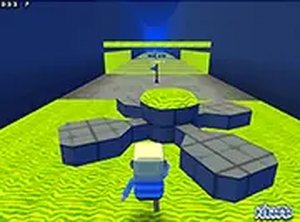
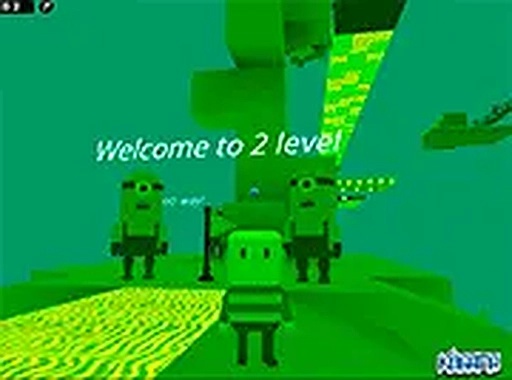
Kogama: Minions Parkour is a 3D online arcade game that invites players to guide a friendly minion through a series of platform courses. The game features bright, cheerful visuals and a variety of levels filled with obstacles, crystals, and bonuses. Players must jump, double jump, and navigate carefully to reach the end of each course without falling. The game is designed to be accessible for beginners while offering enough challenge to keep experienced players engaged. It runs smoothly in any modern browser using WebGL technology, providing crisp graphics and responsive controls. There is no need to download or install anything. Simply open the game and start playing. The minion theme adds a playful tone that makes the experience enjoyable for children and adults alike. Each level introduces new layouts and obstacles, encouraging players to improve their timing and coordination. Whether you have a few minutes or an hour, this game provides a quick and satisfying arcade experience.
How to Play
To play Kogama: Minions Parkour, use your keyboard. The arrow keys or WASD keys move your minion left, right, forward, and backward. Press the spacebar to jump. For a double jump, press the spacebar twice quickly. Your goal is to navigate through each platform course, collect all crystals and bonuses, and reach the finish line without falling off the edges. Some platforms move or require precise timing, so plan your jumps carefully. The game is designed for desktop computers and works best in full screen mode. Click the full screen button for an immersive view. There is no mouse control needed. Practice each level to learn the layout and improve your time. The game saves your progress, so you can return to unfinished levels later. Stay focused, avoid rushing, and enjoy the colorful parkour adventure.
Game Features
Fun minion theme with bright 3D graphics. Multiple parkour levels with increasing difficulty. Collectible crystals and bonuses to boost your score. Simple keyboard controls using arrow keys, WASD, and spacebar. Free to play directly in your browser with no downloads. Smooth performance using WebGL technology. Full screen mode for an immersive experience.
Tips for Success
Kogama: Minions Parkour offers a lighthearted and engaging arcade challenge. Its simple controls and colorful design make it easy to pick up and play. The variety of levels keeps the experience fresh, and the minion theme adds charm. It is a great choice for a short break or a longer play session.