

Matching Notes with Arrow Keys
In Rhythm Clash with 8-BitRyan, symbols appear above the character in time with the music. Your job is to press the corresponding arrow key as each symbol arrives. Accurate presses build a streak, which fills a progress bar. Let too many notes pass or hit wrong keys repeatedly, and the round ends, forcing a restart. The challenge lies in maintaining steady timing rather than rushing.
Choosing How to Play
Two modes structure the experience. Story Mode presents a sequence of song challenges against 8-BitRyan, giving each session a clear goal. Free Play Mode removes that structure, letting you pick individual songs to practice without the pressure of a full run. Both modes support multiple difficulty levels, so you can adjust note speed and density to match your comfort.
Difficulty and Progression
Difficulty levels change how demanding the note patterns become. Starting on easier settings helps you learn a song's rhythm before moving to faster or denser arrangements. Because missing several notes in a row ends the attempt, harder difficulties punish sloppy timing more severely. Progress comes from repetition and familiarity with each track.
Visual and Audio Style
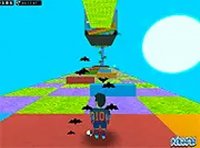
The game uses bright, colorful visuals and upbeat music to create a lively atmosphere. The character 8-BitRyan reacts to your performance, and the interface keeps the focus on the symbols and the progress bar. The overall presentation is family-friendly and designed to be easy to read at a glance, even when notes come quickly.





Comments
0 comments