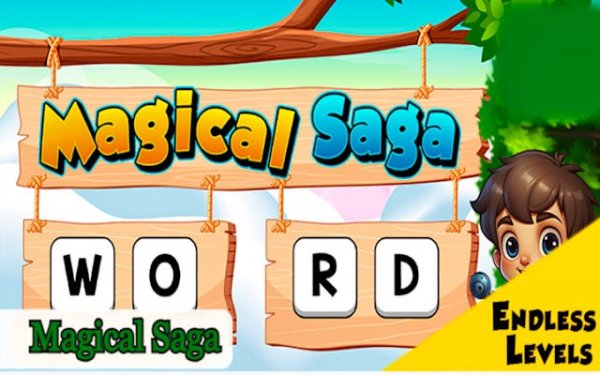
Letter Quest: Vocabulary Builder

Letter Quest: Vocabulary Builder

Developer: Yak Animal Labs
Updated: 2026-10-01
Puzzle Learning Spelling

Reviews

Letter Quest: Vocabulary Builder focuses on careful observation and deductive reasoning rather than speed. Its self-contained puzzles and lack of timers make it easy to play in short sessions. The clean visuals, adjustable text, and high-contrast mode support accessibility. While it may not appeal to players seeking fast-paced action, it offers a relaxed way to reinforce spelling and vocabulary. Parents and educators may find it a useful supplementary tool.

About this game

Solving the Grid

Each puzzle in Letter Quest: Vocabulary Builder hands you a grid of letters and a written clue. Your task is to locate words that fit the clue by scanning the grid in any direction. This setup rewards careful observation and deductive reasoning rather than speed. Because every puzzle is self-contained, you can solve a few grids and stop at any point without losing progress. Difficulty rises gradually, introducing less common words and more complex letter arrangements as you advance.

Visual and Audio Design

Clean, high-resolution graphics keep letters legible on any screen. Soft background colors and gentle animations minimize eye strain during extended play. A calm soundtrack plays unobtrusively, with subtle sound effects confirming correct selections. This consistent presentation across all levels creates a focused environment, helping you concentrate on the puzzle rather than the interface.

Progression and Achievements

Solving puzzles moves you through a series of stages. Each stage contains multiple puzzles, and completing one unlocks the next. A built-in tracker records solved puzzles, total words found, and overall accuracy. Achievements are tied to milestones, such as solving a certain number of puzzles or finding every word in a stage. The absence of timers or penalties lets you progress at your own comfortable pace.

Controls and Accessibility

Letter Quest: Vocabulary Builder runs on both mobile devices and computers. On touchscreens, you tap letters directly; on desktop, mouse clicks perform the same action. The interface adapts to different screen sizes, maintaining readability. Accessibility options include adjustable text size and a high-contrast mode for players with visual impairments. These features make the game approachable for younger players and those new to word puzzles.

Learning Through Play

Regular play exposes you to words that may not appear in daily conversation, helping expand vocabulary. The hint system encourages thinking about word meanings and associations. Pattern recognition improves as you become faster at spotting letter sequences, and repeated visual exposure to correctly formed words reinforces spelling. These benefits occur naturally during gameplay, without explicit instruction or testing.


Editorial Notes

Compatibility

This H5 game runs smoothly on:
• Desktop computers (Windows / Mac) • Mobile phones (iPhone / Android)
• Tablets (iPad / Android)
🌐 Best experienced with Chrome, Safari, or Edge

FAQ

Is Letter Quest: Vocabulary Builder suitable for children?
Yes. The game is designed to be family-friendly, with no timers, penalties, or mature content. Its adjustable text size and high-contrast mode make it accessible for younger players. Parents and educators may find it a useful supplementary tool for language development, as it reinforces spelling and vocabulary through play.
Does Letter Quest: Vocabulary Builder require an internet connection?
The provided description does not specify whether an internet connection is required. The game is designed for mobile and desktop platforms, and its self-contained puzzles suggest it could be played offline, but this is not confirmed. Check the official store listing for your platform for accurate connectivity requirements.
How does the hint system work in Letter Quest: Vocabulary Builder?
The hint system is designed to encourage players to think about word meanings and associations rather than simply revealing answers. While the exact mechanics are not detailed, it supports the game's focus on deductive reasoning. Using hints does not incur penalties, as the game has no timers or score reductions.
Can I play Letter Quest: Vocabulary Builder on multiple devices?
The game is designed to work on both mobile devices and computers, with controls adapted for touchscreens and mouse input. However, the input does not specify whether progress syncs across devices. If cross-device progression is important to you, verify this feature in the official app store description before purchasing.
What types of words appear in Letter Quest: Vocabulary Builder?
The game starts with common words and gradually introduces less common vocabulary as difficulty increases. Puzzles are self-contained, so you can encounter a mix of familiar and new words in any session. The focus is on matching words to clues, which helps players learn meanings and spellings through repeated exposure.
Are there achievements or rewards in Letter Quest: Vocabulary Builder?
Yes. The game includes a built-in tracker that records solved puzzles, total words found, and overall accuracy. Achievements are tied to milestones, such as solving a certain number of puzzles or finding all words in a stage. These provide a sense of accomplishment without pressuring players to rush.

Comments

0 comments
U
User
★ ★ ★ ★ ★
Loading comments...

Similar Games

100 Doors: Hidden Object Puzzle

Puzzle Hidden Object Point and Click

PLAY NOW

Animal Shelter Care Puzzles

Puzzle Family Animal Care

PLAY NOW

Norse Trails: A Friendly Adventure

Exploration Jumping Puzzle

PLAY NOW

Color Burst Bubble Shooter

Casual Relaxing Puzzle

PLAY NOW

Bounce Target Puzzle

Puzzle Accuracy Physics

PLAY NOW

Terminal Inspector: Puzzle Search

Object Search Puzzle Simulation

PLAY NOW

Parking Lot Logic Puzzle

Puzzle Logic Vehicle

PLAY NOW

Raft Guardian: Aim and Solve

Aim and Solve Strategy Protection

PLAY NOW