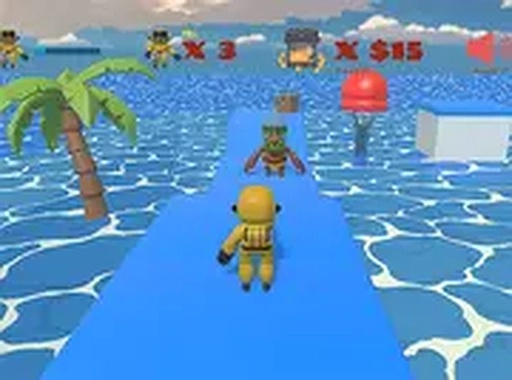
Stellar Path Explorer

Stellar Path Explorer

Developer: Scientist Core Creations
Updated: 2026-10-01
Adventure Action Platformer

Reviews

Stellar Path Explorer targets players who enjoy thoughtful platforming rather than frantic running. Its strengths are clear: immediate keyboard controls, distinct cosmic stage themes, and a cartoonish presentation that keeps the tone light. The focus on observation and timing gives later stages real weight. The main limitation is scope—this is a straightforward start-to-exit platformer, not a game with deep systems or story. It suits casual players and younger audiences who want a no-install browser game with a genuine challenge curve.

About this game

Precision Over Speed

Each stage in Stellar Path Explorer asks the same basic question: how do you get from the starting point to the exit without falling or getting blocked? The answer rarely involves rushing. Gaps in the terrain and moving barriers punish careless movement, so the game rewards players who pause, read the pattern of each obstacle, and commit to a jump only when the timing is right. Later stages lean harder on this rhythm, placing hazards close enough together that a single mistimed input can undo progress.

Cosmic Stage Themes

Levels are grouped around distinct visual themes drawn from different cosmic locations, including asteroid fields and space stations. The layout and obstacle placement shift with each setting, so the challenge changes alongside the scenery rather than repeating one template. Bright, clear colors and simple geometry keep hazards readable at a glance, which matters when a moving barrier is closing in and the player has a fraction of a second to decide.

Controls and Responsiveness

Stellar Path Explorer is built for desktop keyboard and mouse input. Movement uses the arrow keys or WASD, and a dedicated jump key handles gaps and platform climbs. The controls are designed to feel immediate and accurate, since precise jumps in later stages depend on the game registering input without noticeable lag. That responsiveness is what makes the harder sections feel fair rather than frustrating.

Presentation and Accessibility

The tone stays lighthearted throughout. Cartoonish visuals avoid graphic content, and the sound design pairs upbeat background music with simple effects for actions like jumping or reaching a checkpoint. Because it runs in a browser, no installation or account is required, and a full-screen mode is available for a more focused session. Performance is tuned to run smoothly on most modern browsers without high-end hardware.


Editorial Notes

✅ Compatibility & Testing

• Desktop (Windows 11, macOS Ventura)
• Mobile (iPhone 14, Samsung Galaxy S23)
• Tablet (iPad Pro, Android tablet)
✅Supported browsers: Chrome, Safari, Edge, Firefox (latest versions)
❌ Not supported: Internet Explorer, older browser versions

FAQ

Do I need to download anything to play Stellar Path Explorer?
No. Stellar Path Explorer runs directly in a web browser, so there is no installation step and no account creation. You can start a new game by visiting the page. A full-screen mode is included if you want fewer distractions while playing.
What controls does Stellar Path Explorer use?
The game is designed for desktop keyboard and mouse input. You move with the arrow keys or WASD, and a separate jump key handles gaps and platform climbs. The controls are tuned to feel immediate, which helps with the precise jumps required in later stages.
Is Stellar Path Explorer suitable for younger players?
The presentation is cartoonish and non-threatening, with no graphic content, and the sound design stays upbeat. That makes it appropriate for younger players. The later stages still demand careful timing, so adults looking for a light challenge can find one here too.
Why do I keep falling in the same spot in Stellar Path Explorer?
Most failures come from moving before reading the obstacle pattern. Gaps and moving barriers follow predictable cycles, so watch a barrier complete one full pass before jumping. The game is built around observation and timing rather than speed, so slowing down usually fixes repeated mistakes.
Does Stellar Path Explorer run well on older computers?
The game is optimized to run smoothly on most modern browsers without high-end hardware. Its simple geometry and clear color palette keep the visual load low. If you notice stuttering, closing other browser tabs or switching to full-screen mode can help performance.

How does Stellar Path Explorer change as you progress?
Each level uses a distinct visual theme inspired by different cosmic locations, from asteroid fields to space stations. Obstacles and layouts are tailored to those settings, so the challenge evolves instead of repeating. Later stages place hazards closer together, demanding more precise timing and observation.

Comments

0 comments
U
User
★ ★ ★ ★ ★
Loading comments...

Similar Games

Survival Marksman Arena

Action First-Person Strategy

PLAY NOW

Mini Champion: Tower of Scholars Quest

Turn-Based RPG Creature Collection Strategy

PLAY NOW

Norse Trails: A Friendly Adventure

Exploration Jumping Puzzle

PLAY NOW

Mystic Keep Puzzle Runner

Puzzle Platformer Pixel Art Adventure

PLAY NOW

Dash Through Hazards

Arcade Runner Evasion

PLAY NOW

Unsteady Brawler Arena

Action Reflex Local Multiplayer

PLAY NOW

Empty City Survival Adventure

Adventure Action Strategy

PLAY NOW