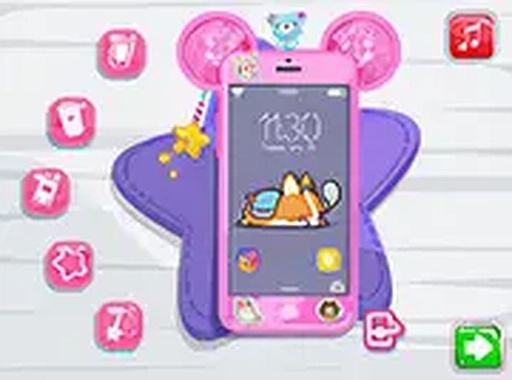
Phone Makeover Studio

Phone Makeover Studio

Developer: Petalfall Studios
Updated: 2026-10-01
Relaxing Artistic Casual

Reviews

Phone Makeover Studio is built for players who want a low-stakes creative break rather than a challenge. The repair sequence gives the session a clear starting point, while the color, sticker, charm, and case options allow for plenty of small decisions. The lack of timers or penalties keeps the pace gentle. Its main limitation is depth: the game is about aesthetic choice, not progression or difficulty, so players seeking goals may find it thin.

About this game

Restoration Before Creativity

Phone Makeover Studio opens with a hands-on repair sequence. You follow on-screen prompts to wipe smudges from the device and fit a fresh screen into place. The steps are deliberately methodical: each action responds to a specific cue, and the sequence ends only when the phone is functional again. This structure gives the customization phase a clear starting point and a small sense of accomplishment before any color or accessory comes into play.

Color and Accessory Choices

Once the phone works, a palette of base colors becomes available. You pick a hue for the device, then browse small accessories such as stickers and charms. Every selection changes the phone's appearance immediately, so you can compare combinations without committing to a final look. The system encourages experimentation rather than optimization—there is no scoring penalty for changing your mind.

Case Selection and Final Look

The last step is choosing a protective case. Several designs are offered, from simple patterns to more elaborate motifs. Flipping the phone reveals how each case fits around the body, helping you judge whether it complements your chosen color and accessories. Because the case is the final layer, it often determines whether the overall design feels cohesive or deliberately mismatched.

Controls and Session Pace

The interface uses straightforward prompts that work with both mouse and touch input, so the same game runs on a computer or a mobile device. No download is required, and a full-screen option is available for an uninterrupted view. With no timers or penalties, sessions can be as short as a few minutes or long enough to try multiple designs. The soft visuals and gentle pace make it easy to return to without relearning anything.


Editorial Notes

Compatibility

This H5 game runs smoothly on:
• Desktop computers (Windows / Mac) • Mobile phones (iPhone / Android)
• Tablets (iPad / Android)
🌐 Best experienced with Chrome, Safari, or Edge

FAQ

Does Phone Makeover Studio require a download or account?
No download is needed. The game runs in a browser and supports both mouse and touch input, so it works on desktop and mobile devices. There is no mention of an account system, meaning you can start playing immediately without signing up or installing anything.
Can I change my design choices after selecting a color or case?
Yes. The game lets you browse and apply colors, stickers, charms, and cases freely. Each choice alters the phone's appearance right away, and there are no penalties for switching. You can keep adjusting until the design matches what you want.
Is there a time limit or score in Phone Makeover Studio?
No. The game has no timers or penalties. You can spend as long as you like on the cleaning phase, the color selection, or the final case choice. This makes it suitable for short breaks or longer relaxed sessions.
What is the first thing you do in Phone Makeover Studio?
The game begins with a restoration phase. You follow on-screen cues to wipe away smudges and install a fresh screen. Only after the phone is functional do the creative tools become available, so the repair step acts as a short tutorial for the interface.
Can I play Phone Makeover Studio on a phone or tablet?
Yes. Touch input is supported alongside mouse controls, so the game works on mobile devices and computers. A full-screen option is also available if you want a larger, distraction-free view while designing.
What kinds of accessories can I use to decorate the phone?
You can choose from a palette of base colors, then add small accessories like stickers and charms. The final layer is a protective case, with designs ranging from simple patterns to more elaborate motifs. Each item changes the phone's look immediately.

Comments

0 comments
U
User
★ ★ ★ ★ ★
Loading comments...

Similar Games

Winter Style Dress Up Game

Dress Up Fashion Winter

PLAY NOW

Pumpkin Toss Precision Game

Precision Arcade Casual

PLAY NOW

Summer Style Dress Up

Dress Up Fashion Summer

PLAY NOW