Sudoku Number Puzzle Game
Runs in your browser — no download.
Reviews
MSFT Sudoku offers a polished puzzle experience with a clean interface and four difficulty levels. The note-taking feature helps with strategy. It runs smoothly on all devices, making it ideal for quick sessions or extended play. The game is safe, educational, and provides good replay value for all ages.
Description
Game Introduction
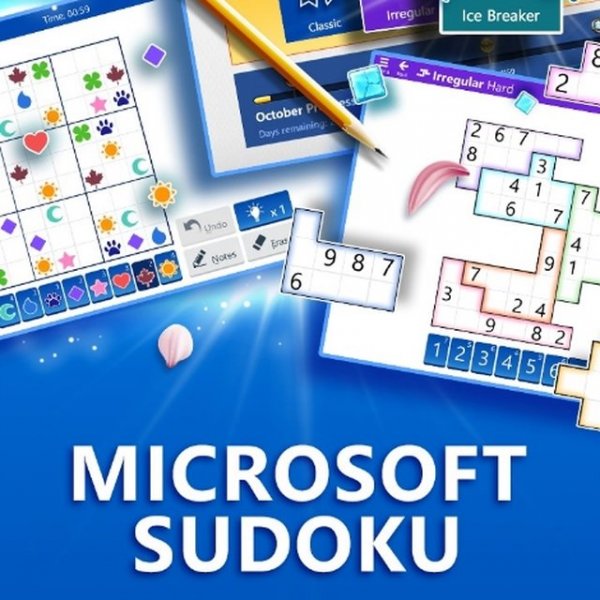
MSFT Sudoku Puzzle Game - Number Puzzle Game is a classic logic-based number puzzle game developed by Microsoft. It is designed for players of all ages, offering a clean and intuitive interface suitable for both beginners and experts. The core objective is to fill every empty cell in a 9x9 grid with numbers from 1 to 9, ensuring no repeats in any row, column, or 3x3 mini-block. This HTML5-based game runs smoothly on web browsers across PC, mobile phones, and tablets, with full-screen support for an immersive experience. It provides a safe, educational, and entertaining way to sharpen your logic and concentration.
How to Play
To play, start by selecting a difficulty mode from the available options. The simpler the mode, the more numbers are pre-filled in the grid, making it easier to solve. Your task is to fill the remaining empty cells using the numbers 1 to 9, which are displayed on the bottom panel of the playing field. To insert a number, first click on the cell you want to fill, then click on the desired number. Each horizontal row, vertical column, and 3x3 mini-block must contain all numbers from 1 to 9 without any duplicates. You can also make temporary notes in cells using the note-taking icons below the table, and delete them when needed. This feature helps you keep track of possibilities as you solve the puzzle.
Game Features
Family-friendly content suitable for all ages. Multiple difficulty levels allow players to progress at their own pace. A note-taking option helps you track possible numbers. HTML5 cross-platform support ensures smooth play on any device. Full-screen support provides an immersive experience. The game is designed with a clean and intuitive interface, making it accessible for beginners while still challenging for experts.
Tips for Success
Start with easier difficulty modes to learn the basic rules and build confidence. Use the note-taking feature to keep track of possible numbers for each cell, which helps narrow down options. Focus on rows, columns, or blocks that have the most pre-filled numbers first. Practice regularly to improve your logic and speed. If you get stuck, take a break and return with a fresh perspective.